Getting a phone number and SIM in Uzbekistan
A local number is what gets your bank app and card payments working in Uzbekistan. Here's what to bring to the carrier, what plans cost, and how to keep your home number as well.
AbroadPin team7 min read

Contents
An Uzbek phone number isn't just for calls. Banks, payment apps and the government office that issues your personal ID number all expect one, and it has to be in your own name. This page walks through getting a SIM or eSIM, what the carriers ask for, what plans cost, registering your phone, and what to do about the number you already have. For the bigger picture on schools, pay and visas, see the main guide to teaching in Uzbekistan.
Why the local number comes first
It's tempting to put the phone off until you've settled in. Don't, because so much else waits on it.
- Your PINFL. Ipak Yuli Bank tells non-residents to bring a SIM card from a local mobile operator when they apply for the personal identification number [2]. Most banks want that number before they'll open an account.
- Your bank. TBC Bank lists a phone number from an Uzbek mobile operator among its requirements for non-residents, and you use that number to sign up in its app [1].
- Payment apps. Since January 2026, transfer apps check that your phone number matches your personal identification number, and if they don't match, you can't register or link a card [3].
- Codes by text. TBC warns that if your number is blocked, you won't get SMS codes when you need them [1].
So the number you pick in your first days ends up tied to your bank, your cards and your apps. Pick one carrier, put the line in your own name, and plan to keep it for the whole contract.
What to bring to the carrier
TBC's guide for foreigners sums up the process in four steps [1]:
- Take your passport and your temporary registration documents.
- Go to a customer service centre of any mobile operator.
- Choose a tariff plan and activate the SIM.
- Use the new number to sign up for your bank's app.
Temporary registration is the record of where you live. For a stay of a month or longer, TBC says you get it at your local district OVD (internal affairs office) together with the property owner, and you only need your passport [1]. If your school sorts out your flat, ask in your first week who does the registration and when you'll have the paper.
Go to the carrier's own office rather than a kiosk, and check that the contract shows your name and passport number. A line registered to a colleague or a landlord will cause problems later with the bank and with phone registration (see below).
If you don't speak Uzbek or Russian yet, ask your school whether someone can come with you. It helps to have someone who can read the small print and ask questions for you.
Your first few days
The paperwork for temporary registration can take a little while, and TBC's steps assume you already have it [1]. Until then, you have a couple of options:
- Roaming on your home plan. Ask your home carrier before you fly what it charges in Uzbekistan. Prices vary a lot by carrier and plan, so check rather than guess.
- Wi-Fi. If your hotel or flat has it, messaging apps will cover you for a few days.
We couldn't confirm from any carrier's own page whether you can buy a SIM at the airport, or whether a hotel's registration is enough at a carrier office. Ask the carrier when you go in.
The main carriers and what plans cost
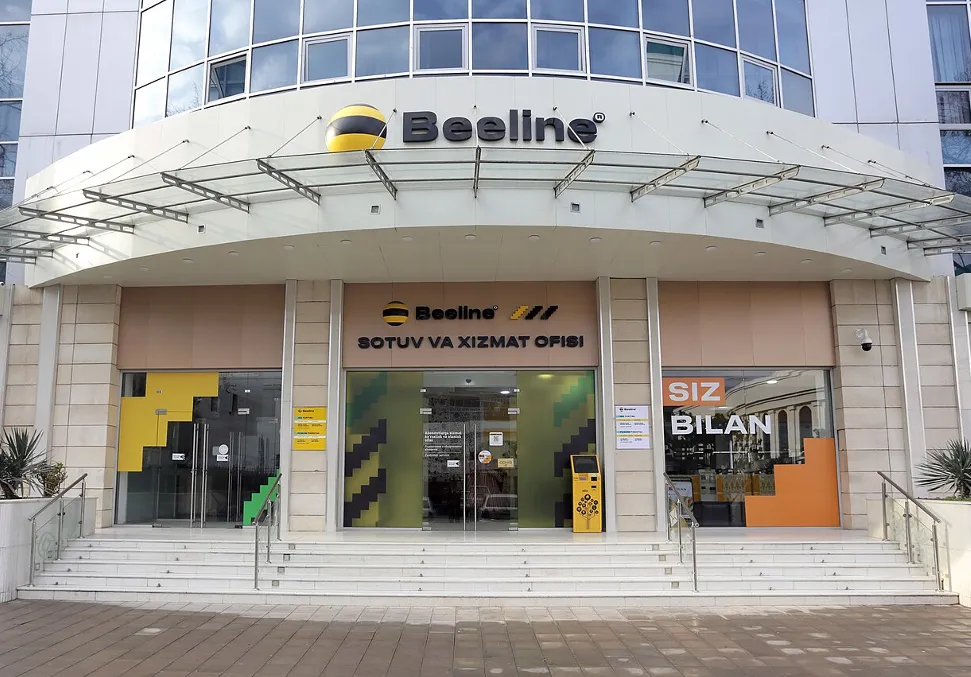
We read the English pages of two carriers, Ucell and Beeline. Other operators exist, but we couldn't read their pages, so they aren't priced here.
Ucell
Ucell's main line of monthly plans, called Bor, includes unlimited calls within Uzbekistan on every plan [5]. Prices as listed in November 2026 [5]:
| Plan | Monthly fee | Internet | SMS within Uzbekistan |
|---|---|---|---|
| New Bor 80 | 80,000 UZS | 100 GB | 1,500 |
| Bor 90 | 90,000 UZS | 90 GB, plus 90 GB on promotion | 2,000 |
| Bor 110 | 110,000 UZS | 200 GB, with an extra 100 GB on the 5G network | 2,500 |
| Bor 160 (VIP) | 160,000 UZS | 350 GB, with an extra 150 GB on the 5G network | 3,000 |
The Bor 90 bonus is marked as a promotion with no end date, so it may not last [5]. The three larger plans also include a Yandex Plus subscription [5]. The same page links to other plan lines, such as TV bundles, if you want more than a phone plan.
Beeline
Beeline's English site didn't show monthly plan fees when we read it, but it did list internet packages that each run for 30 days [4]:
| Package | Price | How to turn it on |
|---|---|---|
| 10 GB, plus 5 GB for YouTube | 50,000 sum | 110# |
| 20 GB, plus 10 GB for YouTube | 70,000 sum | 120# |
| 50 GB, plus 25 GB for YouTube | 100,000 sum | 150# |
| 150 GB, plus 75 GB for YouTube | 150,000 sum | 1150# |
Beeline lists these apart from its tariff plans, so ask at the office which plan you'd pair a package with, and what that plan costs each month.
None of the pages we read showed a special plan for foreigners or tourists. Teachers on a work contract will be on the same plans as everyone else.
eSIM
Both carriers offer eSIM. Beeline's site has an eSIM number search, and from 23 October 2026 it charges 35,000 sum to replace a SIM or eSIM [4]. Ucell lets you swap a physical SIM for an eSIM and keep your number, either in a Ucell office or in the Ucell app, for 25,000 UZS with VAT [6].
One caution: Ucell's how-to video is titled for citizens of Uzbekistan, and its page doesn't say whether foreigners can use the app route [6]. The safe plan is to get your first SIM in person at an office, then ask there whether you can move it to eSIM.
Before you rely on eSIM, check that your phone supports it and isn't locked to your home carrier.
Registering your phone
Uzbekistan keeps a register of mobile phones by their IMEI code, run by UZIMEI, and the registration is open to residents and non-residents [7]. It applies to the handset, not the SIM, so it matters if you bring a phone from home.
According to UZIMEI's site, you can register through the BIRDA app, USSD, SMS, MyGov, a UZIMEI office or a post office [7]. Non-residents registering at a post office use their passport and a local SIM registered to that passport [7]. At a UZIMEI office you bring your passport, your phone and a phone number registered with a local operator in your own name [7]. You pay a fee online or offline, for example through Payme, Click, Paynet or a bank [7].
We couldn't confirm the fee amount, which devices must be registered, or how long a visitor's phone can be used before it has to be. When you buy your SIM, ask the carrier whether your phone needs registering and by when.
Keeping the line alive
TBC is blunt about this: if you don't pay your phone plan on time, your number is blocked, and you may lose access to its banking app [1]. Since your bank and payment apps hang off that number, a lapsed plan is more than an inconvenience.
- Note the day your plan renews and put a reminder on your phone.
- If you top up, keep a little extra on the balance in case a payday is late.
- If you lose the SIM or change phones, replace the SIM on the same number rather than getting a new one, so it still matches your records. Beeline and Ucell both charge a fee for this [4] [6].
Keeping your home number
Your home bank, email and other accounts probably send codes to your home number, so think about it before you fly.
- Keep the home line on the cheapest plan that still receives texts abroad. Ask your home carrier what receiving SMS in Uzbekistan costs.
- Use a dual-SIM phone if you have one: the home line in one slot, the Uzbek line in the other. Remember that the phone itself may need registering with UZIMEI [7].
- Move what you can to an authenticator app before you leave, so fewer codes depend on a text reaching you abroad.
- Tell your bank at home that you'll be living abroad, and update your address and contact details with it.
What we couldn't confirm
- Plans and prices for operators other than Ucell and Beeline.
- Whether SIMs are sold at the airport, and what a short-stay visitor needs to buy one.
- The UZIMEI fee and the deadline for registering a phone brought from abroad.
- Whether foreigners can get an eSIM without visiting an office first.
Your first weeks, in order
- Before you fly: check roaming with your home carrier and move your home codes to an app where you can.
- First days: get on Wi-Fi, and ask your school who handles your temporary registration.
- Once the registration is done: take your passport and the paper to a carrier office, and get a SIM in your own name.
- The same visit: ask whether your phone needs registering with UZIMEI.
- Then: use the number for your PINFL application, your bank and your payment apps.
Once your phone is sorted, have a look at the teaching jobs in Uzbekistan.
See jobs in Uzbekistan
Sources and photo credits
- 1.TBC Bank Uzbekistan, banking services for non-residents, FAQ on getting an Uzbek phone number (undated, read 5 November 2026)
- 2.Ipak Yuli Bank, how a non-resident can become a client (6 May 2024, page updated 4 November 2026)
- 3.Kun.uz, stricter security requirements for P2P mobile transfers (21 January 2026)
- 4.Beeline Uzbekistan, home page with internet packages, eSIM and SIM replacement fee (read 5 November 2026)
- 5.Ucell, tariff plans (read 5 November 2026)
- 6.Ucell, SIM card and eSIM replacement (read 5 November 2026)
- 7.UZIMEI, registration of mobile device IMEI codes (read 5 November 2026)
Photos
- Tashkent International Airport at night.: BeshevI, CC BY-SA 4.0, via Wikimedia Commons
- A Beeline sales and service office in Uzbekistan.: AFayziev, CC BY-SA 4.0, via Wikimedia Commons
Get new jobs in Uzbekistan by email
One email a week with the jobs added since the last one. Free, with no account.
Nothing is sent until you open the link we email you. Choose a role, a pay level or daily emails
We use your address only to send the alerts you ask for, and every email has a one-click unsubscribe link. The privacy notice says how long we keep it, and the terms of use cover the alerts.
We check this guide again by February 3, 2027. Rules change, so confirm visa steps with the embassy and your school before you go. First published November 5, 2026. Spotted something out of date? Tell us. How we write these guides.