Getting a phone number and SIM in Kyrgyzstan
A Kyrgyz number with plenty of mobile internet costs a few hundred som a month. Here's where to get one, the passport and phone checks involved, what the plans cost and how to hold on to your number from home.
AbroadPin team7 min read

Contents
Sorting out a phone is one of the shorter jobs on your arrival list in Kyrgyzstan, but it has two steps people from other countries don't expect. The SIM or eSIM has to be registered to you with your passport, and the handset itself has to be on the national phone register. Both are quick once you know about them. For pay, permits and who hires, see the main guide to teaching in Kyrgyzstan.
Who you can choose from
Three mobile networks sell lines to the public:
- O! Sells SIMs and eSIMs at its O!Store shops and through the My O! app, and can deliver a physical SIM to your door [2] [3].
- Beeline. Signs up new customers and registers numbers through its Kolumda Beeline app [5] [6].
- MegaCom. The third network, with services such as calling on a zero balance [7]. Its tariff pages weren't open to us when we read the site, so the prices below cover O! and Beeline only.
All three work on top-up: you put money on the balance, and the plan's fee comes off it each period. Coverage differs most outside Bishkek and Osh, so if your school is in a smaller town, ask colleagues which network works best there before you buy.
Your first days: SIM or eSIM
You have three practical routes:
- Walk into an O!Store with your passport. O! says you can activate an eSIM free of charge at any O!Store, where staff give you a QR code to scan [3]. The same shops sell physical SIMs [2].
- Set up an eSIM in the My O! app. The app asks you to confirm your identity with your passport [2]. O!'s registration page says foreign nationals can start this even before they arrive, but the line only starts working inside Kyrgyzstan [2]. Its eSIM page says the app route needs you to be in the country, so plan on finishing it after you land [3]. O! says activation takes about 5 minutes, connected to Wi-Fi or another SIM's mobile data [3].
- Join Beeline in the Kolumda Beeline app. You pick a number and a tariff, confirm your identity and activate the eSIM, which Beeline says is free to connect [6]. The new number then runs beside your existing SIM [6].
A few checks before you go:
- Is your phone unlocked? A handset tied to your carrier at home won't take a Kyrgyz SIM.
- Does it support eSIM? O! says it can't activate an eSIM on a device without it, and lists supported models on its page [3].
- Keep the QR code to yourself. O! says the same eSIM profile can be downloaded to the same device up to 10 times, so treat it like a key [3].
Registering the number in your name
Kyrgyz rules require new SIM cards to be registered. Beeline cites rules of the Cabinet of Ministers that oblige every mobile operator to register new SIMs [5]. In practice that means your passport.
- On Beeline, registration happens in the app. You scan the front and back of your passport with your phone, check your details and do a face check on camera, and Beeline says it costs nothing [5].
- On O!, you verify your identity in the My O! app with your passport, or do it at an O!Store [2].
Don't leave it. O! says that if a number isn't registered within 30 days of activation, keeping it reserved costs KGS 20 a day, and the number and SIM are switched off once the balance can't cover that [2]. Registering in the first week avoids the problem.
Keep the line in your own name, too. A spare SIM from a colleague or landlord stays tied to their passport, which gets awkward when your bank or a delivery app sends codes to it.
Registering your phone on imei.kg
This is the step most new arrivals miss. Every handset in Kyrgyzstan has to be on a national register, which checks a phone by its IMEI, the serial number every handset carries [2] [8]. O! puts it plainly: all mobile phones must be registered with the State Identification System through imei.kg, and phones that aren't registered can't work on any network in the country [2]. O! adds that it doesn't block SIM cards or numbers themselves, so your number keeps working in any registered phone [2].
What to do:
- Find your IMEI in your phone's settings, usually under About, or on the box it came in.
- Check its status on imei.kg, the official site for checking and registering mobile devices [8].
- If the site says the phone needs registering, follow its steps, or ask staff at the shop where you buy your SIM to point you to the right place.
We couldn't confirm from an official page whether visitors' phones get a grace period or whether registration has a fee, so check imei.kg for your own phone soon after you arrive. If you bring two phones, or buy one locally, check each of them.
What plans cost
These are the carriers' own prices, read on 5 November 2026 [1] [4]. O! sells in 4-week and 1-week periods, and Beeline in 30-day periods.
| Carrier and plan | Price | What you get |
|---|---|---|
| O! weekly plan | KGS 160 a week [1] | 20 GB with a current promotion, 10 outgoing minutes [1] |
| O! SuperHit 230 | KGS 230 for 4 weeks [1] | 50 GB, 50 outgoing minutes, free incoming calls [1] |
| O! All unlimited 500 | KGS 330 for 4 weeks for the first 3 months, usually KGS 500 [1] | Unlimited internet, 100 outgoing minutes [1] |
| Beeline Senik | KGS 250 for 30 days [4] | 50 GB, 50 minutes [4] |
| Beeline Ukmush AI | KGS 350 for 30 days [4] | 80 GB, 60 minutes [4] |
| Beeline Unlimited 500 Pro Max | KGS 330 for 30 days [4] | Unlimited internet, 150 minutes [4] |
| Beeline This is 100 GB | KGS 690 for 30 days [4] | 100 GB, 100 minutes [4] |
Some things to notice:
- Promotional prices end. O!'s unlimited plan is cut from KGS 500 for 3 months [1]. Beeline's page shows 500 beside the 330 and 350 prices without saying why, so ask at the shop what you'll pay after the first period [4].
- Weekly plans add up. Four weeks of O!'s weekly plan cost KGS 640, against KGS 230 for SuperHit 230 [1]. The weekly option makes sense for a short first stay, not for a contract.
- Bundles bring TV and Wi-Fi sharing. Several O! and Beeline plans include TV channels, and O!'s include free Wi-Fi sharing, handy if your flat has no home internet yet [1] [4].
The price of the SIM card itself wasn't on either page we read, so ask before you pay.
Why a local number is worth having
You can get by on Wi-Fi and a roaming number for a few days, but a Kyrgyz number makes ordinary jobs work:
- Banking. Payment apps and banks send sign-in codes by text, and our page on opening a bank account in Kyrgyzstan explains why a SIM in your own name matters there.
- School and private students. Schedule changes and parents' messages come to a local number.
- Taxis, couriers and your landlord. They call when they can't find you, and calling a foreign number costs them money.
Hand your new number to the school office, your landlord and your bank in the first week.
Holding on to your number from home
Your bank, tax account and email at home probably send codes to your old number. Lose it and you can be locked out just when you need to move money. A few steps help:
- Before you fly, ask your home carrier what the cheapest way to keep the number active is, and what an incoming text costs while you're abroad.
- Run two numbers on one phone. A Kyrgyz eSIM beside your home SIM keeps both lines live [6]. Switch off mobile data on the home line so it doesn't roam.
- Move logins to an authenticator app wherever a service allows it, so fewer things depend on texts reaching you.
- Turn roaming on before trips from Kyrgyzstan. O! says customers turn on roaming by dialling 996#, or 997# for internet roaming [3].
Your short checklist
- Make sure your phone isn't locked to your home carrier and check it supports eSIM.
- On arrival, get an O! or Beeline line in your own name.
- Register the number with your passport in the first week.
- Check your handset on imei.kg.
- Pick a 4-week or 30-day plan once you're settled, and keep the balance topped up [1] [4].
When you're ready for your next contract, the open teaching jobs in Kyrgyzstan let you apply to schools directly.
See jobs in Kyrgyzstan
No live jobs in Kyrgyzstan right now. New pins go up every day.
Sources and photo credits
- 1.O!, home page with current smartphone plans (read 5 November 2026)
- 2.O!, SIM card registration (read 5 November 2026)
- 3.O!, eSIM (read 5 November 2026)
- 4.Beeline Kyrgyzstan, tariffs (read 5 November 2026)
- 5.Beeline Kyrgyzstan, number registration (read 5 November 2026)
- 6.Beeline Kyrgyzstan, eSIM (read 5 November 2026)
- 7.MegaCom, home page (read 5 November 2026)
- 8.imei.kg, IMEI status check and mobile device registration in the Kyrgyz Republic (read 5 November 2026)
Photos
- Apartment blocks in Bishkek with the mountains behind.: Almutamid, Public domain, via Wikimedia Commons
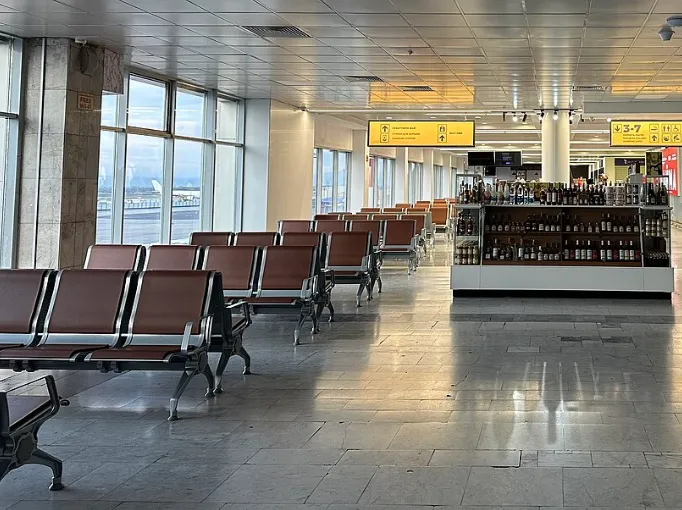
- The gate area at Manas International Airport, Bishkek.: Darafsh, CC0, via Wikimedia Commons
Get new jobs in Kyrgyzstan by email
One email a week with the jobs added since the last one. Free, with no account.
Nothing is sent until you open the link we email you. Choose a role, a pay level or daily emails
We use your address only to send the alerts you ask for, and every email has a one-click unsubscribe link. The privacy notice says how long we keep it, and the terms of use cover the alerts.
We check this guide again by February 3, 2027. Rules change, so confirm visa steps with the embassy and your school before you go. First published November 5, 2026. Spotted something out of date? Tell us. How we write these guides.